
LAPTOP HEAT & NOISE · SINGAPORE
Laptop overheating and loud fans: when to book thermal servicing
A laptop that has become hotter, louder or less reliable during familiar tasks may need attention. The useful question is which service fits the problem: cleaning, thermal servicing, a fan check or a wider repair assessment.
Ask about laptop thermal servicing ↗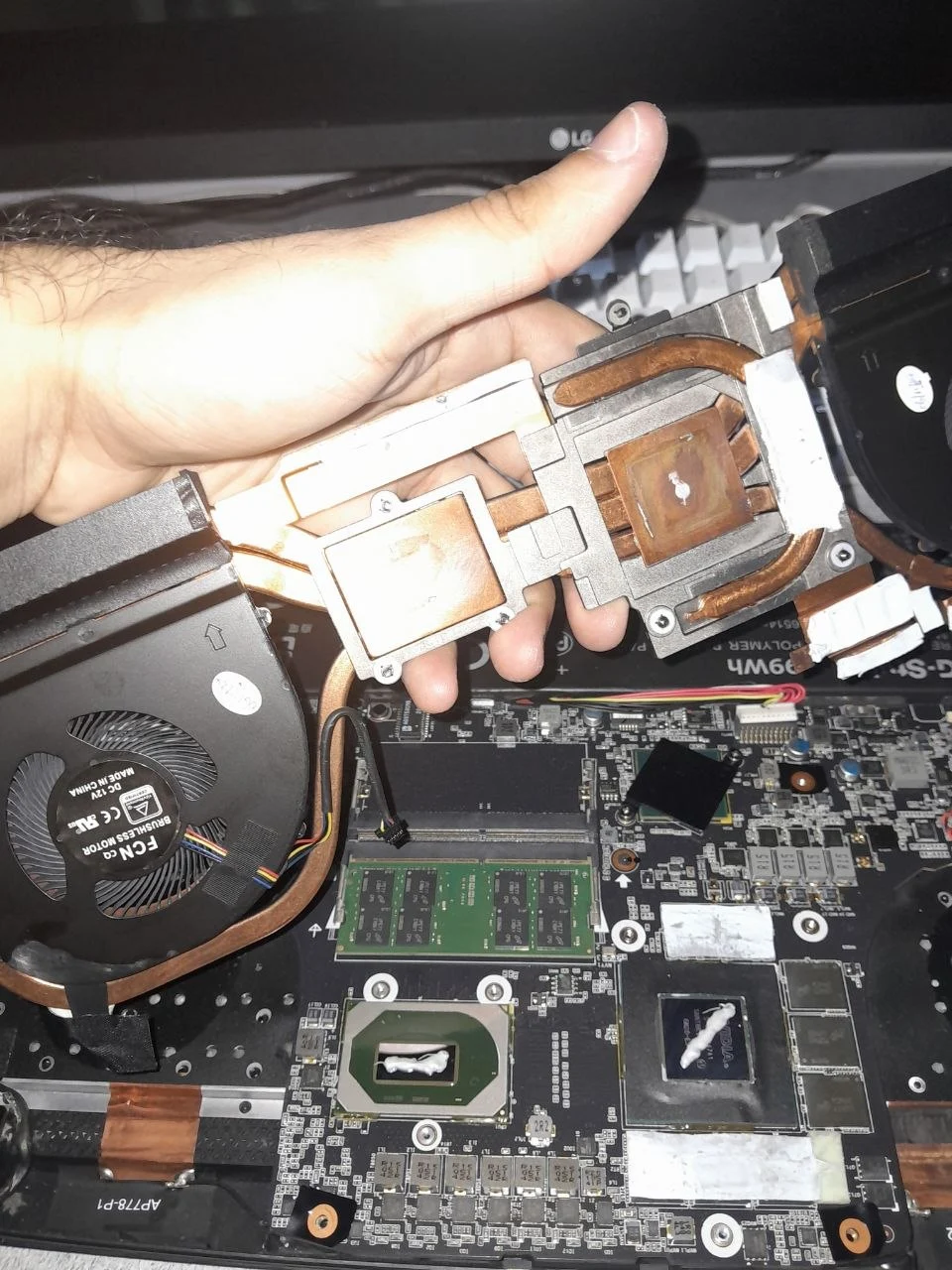
THE CUSTOMER EXPERIENCE
Notice a change in everyday use
Fan noise during a demanding game or a long export is not, by itself, proof of a fault. The more useful context is a change: a laptop that used to handle the same work quietly now keeps interrupting you with loud fans, reduced responsiveness or unexpected shutdowns. That change is worth describing when you enquire.
Other customers notice that the fan stays intrusive long after a task has finished, the keyboard area feels hotter than it used to, or performance becomes less consistent as a session continues. These observations describe the experience; they do not identify which part needs work. Similar symptoms can arise from different conditions.
You do not need to dismantle the laptop or complete a set of tests before contacting us. Tell us what you were doing, how long it usually takes for the problem to appear, and whether this is a recent change. Existing screenshots or a short recording of the noise can add context if you already have them.
Warm, throttling and faulty are different questions
Thin laptops and gaming laptops manage heat within the limits of their design. A warm chassis does not mean that a cooling system has failed, and one temperature number cannot be applied to every model. The workload, processor, cooling design and room conditions all affect how a laptop behaves.
Intel describes thermal throttling as a protective reduction in processor performance, with automatic shutdown providing a further safeguard in some conditions. Its processor temperature information also explains that operating behaviour varies by system and workload. This does not establish that every slow or noisy laptop is overheating.
An assessment should connect the reported problem with the condition of the machine. The aim is to establish whether servicing can address the issue, whether a cooling component needs repair, or whether the symptoms point somewhere else. Buying an overhaul first and asking what caused the fault afterwards is not a useful way to choose a service.
Several conditions can look similar
Restricted airflow, accumulated dust, deteriorated thermal contact and worn cooling components are among the conditions a technician may consider. A busy workload or another hardware problem can also change noise and performance. These are possible categories, not a remote diagnosis of your laptop.
The distinction matters because the appropriate work can be different. Cleaning may address a buildup problem, but it cannot restore a mechanically faulty fan. Thermal materials also depend on the laptop design; a service should not assume that every machine uses the same materials or needs every material replaced.
If the laptop has already been serviced, mention when that happened and whether the original symptoms changed. A persistent problem after previous work deserves a fresh assessment. It does not automatically mean that more extensive cleaning is the next step, or that a particular technician or part is responsible.
Cleaning, thermal servicing or repair?
For dust and cooling-related concerns, DreamPC laptop thermal servicing covers model-specific assessment and an agreed scope of cleaning and thermal work. We explain which parts of the cooling system the service can access and what checks are included. A full overhaul is a service scope, not a guarantee of a particular temperature reduction.
Where the problem is an intermittent shutdown, a fan fault or another uncertain hardware issue, laptop repair assessment may be the more appropriate starting point. We confirm what work is available for your model and quote the proposed service and any parts before proceeding.
A laptop with declining battery runtime or charging symptoms may need a different conversation. Our battery replacement service page explains the model information needed for a parts enquiry. Battery replacement and thermal servicing are separate scopes; one is not automatically included in the other.
What a meaningful service includes
When comparing services, ask about the agreed access, cleaning depth, thermal work and checks after reassembly. An exterior wipe, an internal cooling service and a more extensive overhaul are different jobs. A clear description helps you understand what you are approving without needing to become a repair technician.
At DreamPC, suitability is confirmed against your laptop rather than chosen from the symptom alone. If replacement fans, special thermal materials or other parts are needed, they are explained separately. Work that needs more access or longer testing may be better suited to workshop service.
Thermal work is assessed on the serviced laptop. Where possible, relevant before-and-after observations form part of the checks. We explain any remaining limitations if the symptoms need separate repair, rather than promising the same temperature reduction for every machine.
What happens after you enquire
Send your laptop model, the main symptom and your pickup area through WhatsApp. If you know whether the issue happens during gaming, video calls or ordinary office work, include that too. We can then discuss the appropriate assessment, service availability and whether pickup or another arrangement is suitable.
The quote confirms the scope and any replacement parts. If diagnosis is required, its fee is explained before booking; it is separate from approved repairs. Published service terms remain available on the laptop repair page. You approve the work before it proceeds.
Diagnosis and repair time depend on the model, fault and parts availability. A noisy fan is not a reliable way to predict completion time. We confirm the expected arrangement for your job rather than promising every overheating laptop can be serviced during a short home visit.
Service expectations and your files
Before handing over a working laptop, back up important files and retain access to your BitLocker recovery key where applicable. Tell us about any data-access restrictions. These preparations protect continuity if a separate problem is discovered; they are not instructions to change settings or attempt a repair.
Testing should relate to the original complaint. A machine reported to shut down under a particular workload may require a different observation period from one reported to have constant fan noise. Share an honest account of when the fault occurs, including if it is inconsistent. There is no need to provoke it again just to create a video.
DreamPC repair cover applies to the work performed, with the exact scope and any parts coverage confirmed in your quote. It does not turn a cleaning service into cover for all unrelated laptop faults. Read the repair warranty and support terms alongside the proposed work.
BEFORE YOU BOOK
Common questions
Does a loud fan mean my laptop needs an overhaul?
No. Noise alone does not establish the cause or the service required. We assess the symptoms and model before recommending cleaning, thermal work or repair.
Can cleaning fix every overheating laptop?
Cleaning can help where buildup restricts cooling. A faulty fan or another hardware issue may need separate repair; an assessment determines the appropriate scope.
Should I run tests before messaging DreamPC?
You can enquire with the model and a description of normal use. Existing photos or screenshots are welcome, but you do not need to open the laptop or reproduce a shutdown.
Can the work be done at home?
Some service work can be arranged on site where the device and workspace are suitable. More involved access or testing may need workshop service. We confirm the arrangement first.
Tell us what changed with your laptop.
Send the model, heat or fan symptoms and your pickup area. We will help you choose an appropriate assessment or service.
Ask about laptop thermal servicing ↗