
DESKTOP SHUTDOWNS & HEAT · SINGAPORE
PC shuts down while gaming: repair or thermal servicing?
A gaming PC that switches off, restarts or loses its picture needs a clear account of the symptom before anyone recommends a fix. Heat is one possible cause, but a shutdown does not automatically mean the PC needs a repaste.
Ask about PC shutdown diagnosis ↗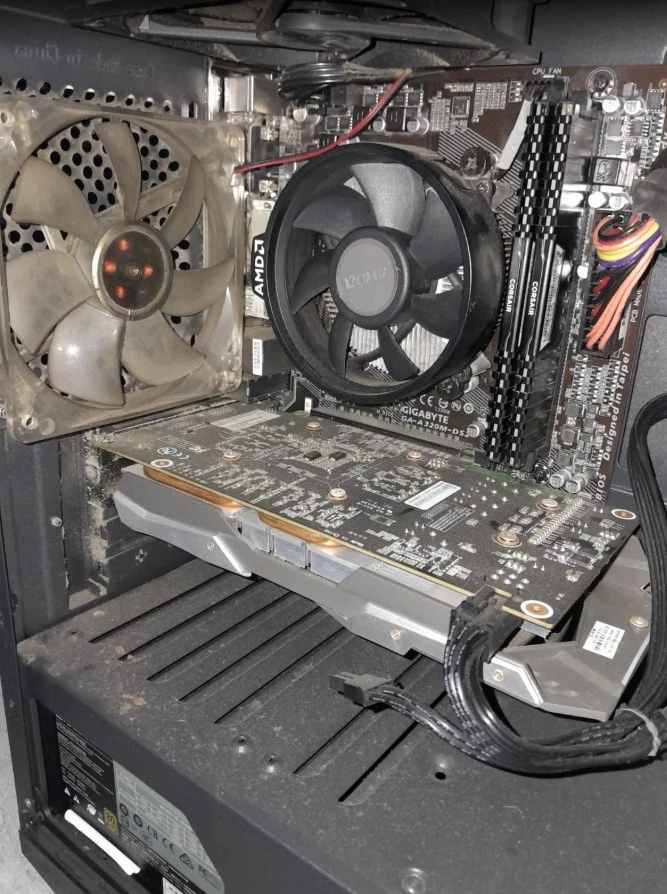
START WITH THE REPORTED EXPERIENCE
Describe the interruption in your own words
"My game crashes" can mean several things. The game may close while Windows stays available, the whole desktop may restart, the system may lose power, or the screen may go blank while fans continue running. These experiences deserve different assessment paths even if each one interrupts the same gaming session.
Tell us which description matches what you normally see and whether the issue happens in one game or several. If you remember a message or error screen, include it. The customer does not need to turn that observation into a hardware diagnosis before asking for help.
A system that slows down as it heats up is also different from a machine that suddenly switches off. DreamPC already has a guide to gaming PC throttling. This article focuses on interruptions and loss of stability, where thermal servicing may be relevant but is not the only possible answer.
A repeatable pattern helps explain the complaint
Useful history includes whether the issue begins near the start of a session, after sustained play or after a recent hardware or software change. Mention whether the desktop previously handled the same game reliably. This history provides context for the technician without asking you to reproduce a fault deliberately.
An issue limited to one application and an issue affecting the whole system are not the same complaint. A desktop can also behave normally for an initial period and still have an intermittent fault. That is why the time between interruptions is relevant when discussing assessment and expected testing.
If someone has already cleaned, upgraded or repaired the machine, share what was done and whether the symptom changed. That does not establish responsibility for the current issue. It helps avoid recommending the same maintenance scope again without understanding why the original complaint remains.
Overheating is a possibility, not a diagnosis
Gaming workloads can expose cooling limitations or faults that are less apparent during light use. Dust-restricted airflow, a cooling-component problem or poor thermal contact may be relevant. However, power, memory, graphics and software issues can also affect stability. The outward interruption does not identify which category applies.
Intel documents protective throttling and shutdown behaviour for its processors, but temperature limits and expected operation depend on the model and system. That manufacturer information supports considering heat; it does not establish the cause of an individual shutdown. There is no single gaming temperature number that proves every PC needs service.
The appropriate assessment connects the reported interruption with the condition of your actual build. A desktop showing a cooling-related problem may need thermal work, while a faulty component needs a different response. Neither a loud fan nor visible dust should be used to promise that cleaning will resolve every crash.
An unexpected-shutdown message is not the failed part
Customers sometimes arrive with a message from Windows or a previous report mentioning an unexpected shutdown. Such information can be helpful, but it needs context. Microsoft explains that Event ID 41 records that Windows did not shut down cleanly; the event alone may not explain why.
That distinction matters because a recorded interruption is not automatically proof of a failing power supply. The technician still has to relate the information to the symptoms and other findings. If you already have an error message or report, share it rather than treating it as a shopping list for replacement components.
You do not need to find system logs or run stress tests before contacting DreamPC. A description of ordinary use is a valid starting point. We can discuss the appropriate diagnosis without asking you to keep provoking shutdowns on a machine you rely on.
When cleaning or an overhaul is appropriate
PC cleaning and thermal servicing are appropriate when the agreed job addresses cooling condition and maintenance. The cleaning depth depends on access and buildup. An overhaul involves a more extensive scope than routine accessible-area cleaning; replacement parts and separate GPU work are not automatically included.
A deep clean and CPU repaste may be suitable where the assessment supports that work. It should not be presented as a guaranteed repair for every stability complaint. If a fan, power component or another part is faulty, cleaning alone cannot replace the necessary repair.
For a graphics card requiring thermal work, GPU servicing is a separate service. Its scope is cleaning and thermal contact work, not board-level repair or a promise to revive a dead card. Keeping the service boundaries clear helps you compare what a quote actually includes.
When desktop diagnosis should come first
If the cause of the shutdown is unknown, start with desktop repair assessment. Explain the interruption, known specifications and any recent changes. Diagnosis is intended to establish the relevant repair options before you commit to a cleaning package, an overhaul or replacement hardware.
DreamPC quotes the proposed repair, any replacement parts and the agreed testing after assessment. The diagnosis fee is separate from approved repair work, as explained in the existing desktop service terms. The total depends on what the machine needs; a symptom alone cannot give a reliable component-level repair quote.
Intermittent faults may require longer observation, and parts availability can affect repair time. We discuss those limits before promising an arrangement. Pickup and return are free across Singapore when approved repair or servicing proceeds, with the suitable service arrangement confirmed when booking.
What you should expect from the finished job
A useful result is a machine checked against the original complaint within the agreed scope. For a thermal service, relevant temperature and workload observations may form part of the handover. For a repair, the replaced or repaired component and the checks performed should be clear. We do not promise one universal temperature drop or frame-rate increase.
If the original behaviour is hard to reproduce, the handover should explain the observation period and any remaining limits. A short successful startup is not the same as assessing a problem reported after a longer gaming session. Accurate expectations help you judge the work without having to carry out the diagnosis yourself.
Protect important files with an existing backup before service where possible, and retain access to any applicable encryption recovery key. Tell us about data restrictions and the work you depend on. See DreamPC repair cover for the scope and exclusions; unrelated faults are not automatically covered by a thermal service.
BEFORE YOU BOOK
Common questions
Is every shutdown during gaming caused by overheating?
No. Heat can be relevant, but several faults can interrupt a gaming session. Assessment is needed before choosing thermal servicing or a component repair.
Should I choose the biggest overhaul package first?
The appropriate service depends on the finding and your PC. More extensive cleaning is not automatically a better answer to an unknown shutdown.
What should I send with an enquiry?
Send the known PC specifications, what happens when the interruption occurs, any recent changes and your pickup area. Existing photos or error messages are welcome.
Do I need to run a benchmark to book?
No. You can enquire using observations from normal use. Do not reproduce a crash simply to prepare a test result for an initial message.
Get the right service for the actual problem.
Share your PC specifications and describe the shutdown. We will discuss diagnosis, servicing or repair based on what your machine needs.
Ask about PC shutdown diagnosis ↗